

Step-by-Step Filling of Form 121
Effective April 1, 2026, Form 121 replaces the older Form 15G and Form 15H for declaring that your total income is below the taxable limit to avoid TDS on interest or mutual fund redemptions. You can fill and submit this form through CAMS (Computer Age Management Services) both online and offline.
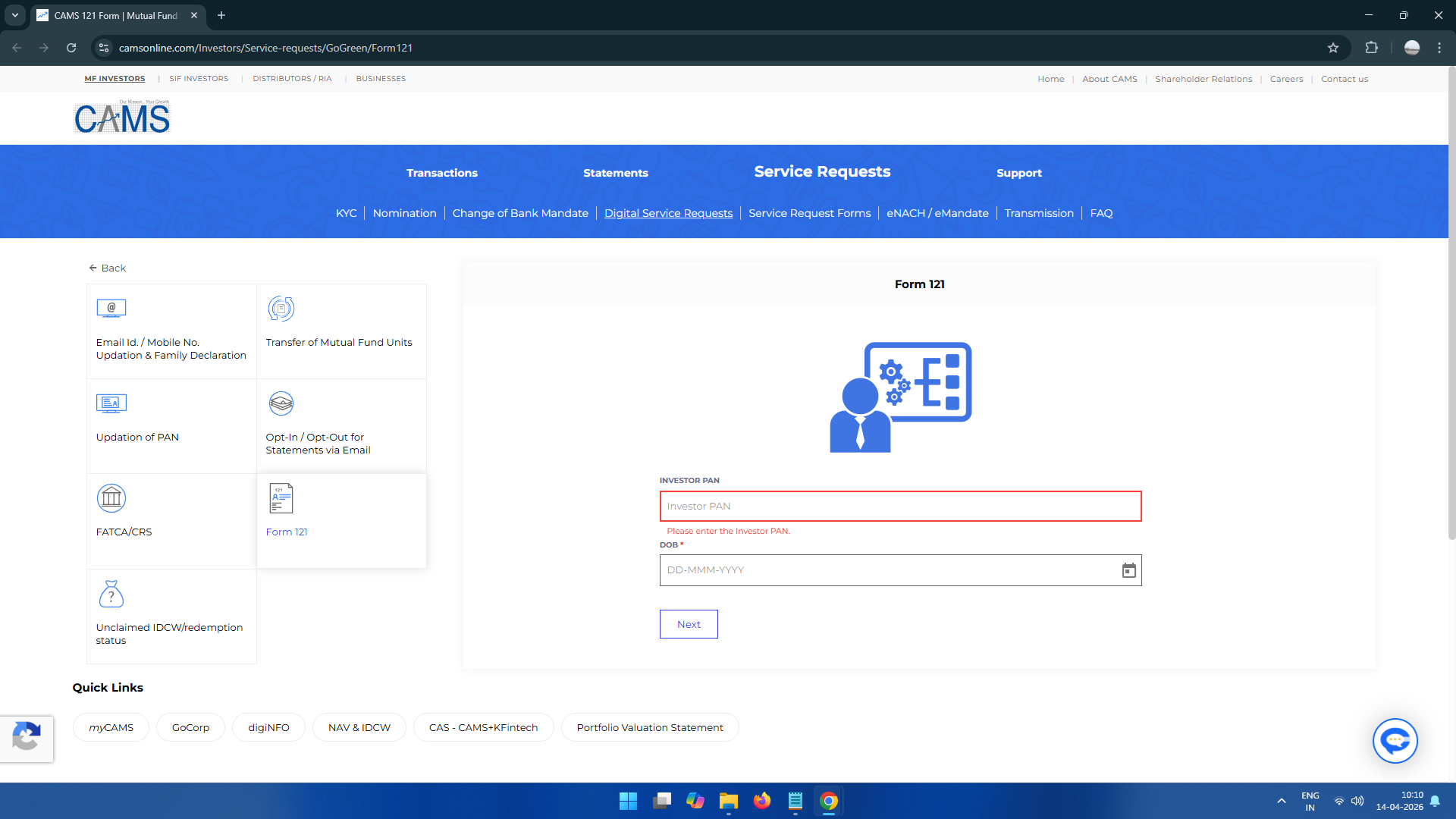
- Visit the CAMS Service Requests page and select Form 121.
- Enter Details PAN and Date of Birth and click Next.
- Generate OTP Mobile or Email. ENTER OTP.
- Here is a simple step-by-step guide to fill the CAMS Form 121 👇
🧾 Step-by-Step Filling of Form 121
✅ 1. PAN
- Enter your PAN number
✔ Already filled in your case
✅ 2. Age (60 years or more?)
- Select:
- No → if below 60
- Yes → if senior citizen
✅ 3. Mutual Fund
- Select the AMC(s) where you want to submit Form 121
✔ Example shown: HDFC, ICICI, SBI, Tata
👉 Select only those where you have investments
✅ 4. Folio Number
- Choose your folio number from dropdown
✅ 5. Estimated Income (From IDCW)
- Enter dividend/interest income from mutual funds
✅ 6. Expected Total Income
- Enter total income from ALL sources, like:
- Salary
- Interest
- Mutual fund income
✅ 7. Other Form 121 Filed?
- Select:
- Yes → if already submitted elsewhere
- No → if not
✅ 8. Year for Declaration
- Select: Which Year fill From
01-Apr-2026 to 31-Mar-2027
✅ 9. Assessed to Tax?
- Select:
- Yes → if you filed ITR earlier
- No → if never filed
✅ 10. Declaration Checkbox
- Tick: First Read and after Checkbox
✅ 11. Submit
- Click:
👉 Register Form 121
Key Details Required in Form 121
- PAN: Mandatory (invalid without it)
- Status: Individual / HUF
- Residential Status: Must be Resident
- ITR Details: Information of last 2 years’ returns
- Income Limit:
- For individuals below 60 years
- Estimated total income must be below ₹4 lakh (as per New Tax Regime – 2026)
-
Offline Submission
If you prefer physical submission:
- Download Form
Get Form 121 from the CAMS Service Request Forms page - Fill Manually
Ensure:- Name matches PAN exactly
- Full address with PIN code is correct
- Submit
Visit the nearest CAMS Service Centre and submit the signed form
- Download Form